How notACMS Builds a Static Site — The Full Pipeline
static-site,symfony,architecture,dev-toolsPart 6 of 8
- 368 Tests for a Static Site Generator — Why Bother?
- 79 Bugs in a Symfony Codebase That Passed PHPStan
- XSS, Open Redirects, and Path Traversal on a 'Static' Site
- The Local Override Pattern — Symfony Templates Without Forking
- Open-Sourcing notACMS — The Complete Checklist
- How notACMS Builds a Static Site — The Full Pipeline
- Building a Production notACMS Theme — From Boilerplate to Live
- Full-Text Search for Static Sites — Pagefind in Production
This is part 6 of a series on preparing notACMS for open-source release. Part 5 covered the open-source release checklist. The original WordPress to Symfony series covers the migration itself.
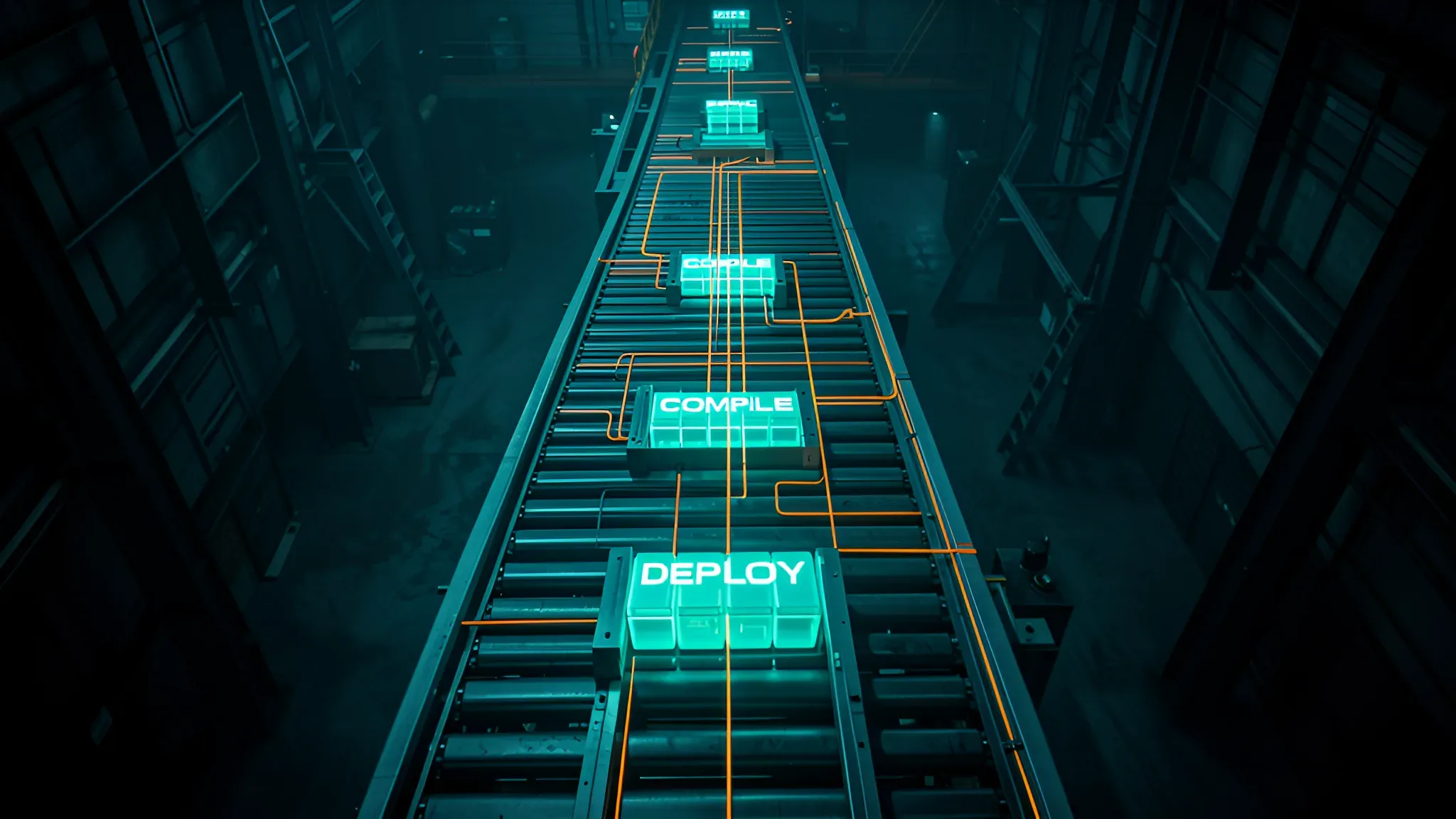
The command ddev build produces a complete static site in under a minute. But what actually happens? 10 distinct steps, each one a design decision. Here is the full pipeline — every command, every config file, every design choice.
The 10-step pipeline
Step 1: Seed local/
Before anything compiles, the build ensures a working local/ directory exists. If it is empty or missing, the build copies docs/demo/ into it:
cp -r docs/demo/. local/
If local/ already has real content, the build skips this step. Passing --bare seeds from docs/bare/ instead — a minimal wireframe theme with no content, useful for starting fresh. Passing --demo forces a re-seed even if content exists, backing up the old local/ to local-{TIMESTAMP}/ first.
The build also copies assets/images/og-default.jpg into local/assets/images/ if it is missing — the fallback Open Graph image that renders when a page has no featured image.
Step 2: Composer install
composer install --optimize-autoloader --no-interaction
Standard Symfony step. The --optimize-autoloader flag produces a classmap for faster autoloading — important because every sub-request in the build creates fresh service containers.
Step 3: Clear dart-sass binary
rm -rf var/dart-sass
The sass:build command downloads an architecture-specific dart-sass binary. Clearing it before each build ensures the correct binary for the current platform. Essential for cross-platform workflows — developing on ARM64 (Raspberry Pi 5), running CI/CD on x86_64 (GitHub Actions), deploying to ARM64 again.
Step 4: Cache clear
php bin/console cache:clear
Produces the compiled Symfony dependency injection container. The warm cache improves sub-request performance during the static build.
Step 5: SCSS compilation
php bin/console sass:build
Compiles assets/styles/app.scss into var/sass/app.css. The core SCSS import cascade, in order:
_tokens.scss    ← CSS custom properties (--bg, --text, --accent, ...)
_variables.scss ← SCSS compile-time constants ($font, $sp-*, $radius-*, ...)
_base.scss      ← reset, box-sizing, body defaults
_layout.scss    ← .container, .content-layout, .site-header/footer
_nav.scss       ← navigation, hamburger, dropdown, .skip-link
_components.scss ← post-card, pagination, badges, buttons, alerts, widgets
_prose.scss     ← .prose class for rendered Markdown
_pages.scss     ← homepage sections, hero, CTA
_blog.scss      ← reading progress bar, code-copy button
_styleguide.scss ← sg-* scaffold classes
_utilities.scss ← atomic utility classes
Local themes override _tokens.scss and _variables.scss — everything else inherits the new values through the cascade. Change --accent from #2563EB to #FFA040, and every component, button, and link updates without touching component SCSS.
Step 6: Asset-map compile
rm -rf public/assets
php bin/console asset-map:compile
First clears previously compiled assets, then compiles everything mapped by Symfony AssetMapper:
assets/app.js→public/assets/app-{contenthash}.jsvar/sass/app.css→public/assets/app-{contenthash}.csslocal/assets/**/*→public/assets/local/**/*(iflocal/assets/exists)
The {contenthash} is a fingerprint derived from file contents. Changing one character in SCSS produces a completely different hash, busting CDN and browser cache automatically. No version query parameters — the filename itself is the version.
After compilation, the sensiolabs_minify bundle minifies all CSS and JS files. The importmap.php file defines which entrypoints exist:
return array_filter([
    'app' => [
        'path' => './assets/app.js',
        'entrypoint' => true,
    ],
    'app-local' => file_exists(__DIR__ . '/local/assets/app.js')
        ? [
            'path' => './local/assets/app.js',
            'entrypoint' => true,
          ]
        : null,
]);
Two entrypoints: app (always — core CSS + JS) and app-local (conditional — only if local/assets/app.js exists). Both are entrypoint: true, so Twig's {{ importmap('app') }} and {{ importmap('app-local') }} load them independently. app-local loads after app in the template, giving local CSS the last word on specificity ties without !important.
Step 7: Static HTML build
php bin/console app:build -v
This is the core magic. The -v flag enables verbose output, showing every rendered URL. Five sub-steps execute in sequence:
7a. Invalidate content cache
The build clears the app.content cache pool for every configured locale. The cache stores parsed ContentTree objects — invalidating it forces a full re-parse of all Markdown files, ensuring the static build reflects the current content state. In development, the cache uses an in-memory array adapter. In production builds, it uses a filesystem adapter under var/cache/.
7b. Collect routes
The collectRoutes() method gathers every URL the site serves. For each locale:
- Home page (
home_{locale}) - Blog listing (
blog_list_{locale}) - Paginated blog pages (pages 2 through
ceil(postCount / postsPerPage)) - Every published post URL (
$post->url()) - Every scheduled post URL (renders a "coming soon" page with
noindex) - Every category page (
blog_category_{locale}) - Every tag page (
blog_tag_{locale}) - Every archive month (
blog_archive_{locale}with year + month parameters) - Every archive year (
blog_archive_year_{locale}— a separate route from months) - Every static page (non-dynamic, non-empty URL, not the home URL)
- Search page (
search_{locale})
The result is deduplicated with array_unique(). For a site with 4 locales and ~40 content items per locale, this produces around 500 URLs including pagination, archives, tags, and feeds.
7c. Render pages
Each URL is rendered via a Symfony sub-request:
$request = Request::create($url, Request::METHOD_GET);
$request->attributes->set('_static_build', true);

$response = $this->httpKernel->handle(
    $request,
    HttpKernelInterface::SUB_REQUEST,
    false,
);
The _static_build attribute signals to controllers, services, and templates that they are running inside a build, not serving a real HTTP request. Themes and local extensions can branch on it to vary output between live serving and the static build. (Draft/scheduled visibility itself is decided by the absence of the dev-only preview session toggles — the CLI has no session, so the build always renders the published view.)
The response body is written to disk as {outputDir}/{url}/index.html. The root URL / becomes index.html at the output root. Any URL returning HTTP 400 or higher is caught as an error and skipped (the page is counted as skipped but the build continues).
After rendering all content pages, the build renders feed URLs:
robots_{locale}— written as{outputDir}/robots.txtsitemap_{locale}— written as{outputDir}/sitemap.xml(orindex.xmlfor slash-ending URLs)rss_{locale}— written as{outputDir}/rss.xml(orindex.xml)
Then error pages are rendered via sub-request:
error_404_{locale}→{prefix}404.htmlerror_500_{locale}→{prefix}500.html
Where {prefix} is the non-default locale path (e.g. pl/404.html). These are pre-rendered so nginx can serve them directly without waking PHP-FPM.
The sub-request approach matters for correctness: the same controllers and Twig templates used in development mode produce the static output. What you see at ddev start is what ships to production. No separate rendering code path. No "dev mode vs build mode" template discrepancies.
7d. Copy media files
Symfony Finder locates every files/ directory under the content tree and mirrors them into the output:
{contentDir}/{postDir}/files/ → {outputDir}/media/{postDir}/
This is a brute-force mirror — no hashing, no deduplication, no tree-shaking. Content authors control what is in files/. Delete a file there, it disappears from the next build. The simplicity is intentional: no asset graph, no build manifest, no reference counting.
7e. Optimise originals and generate responsive variants
Two ImageMagick passes run on the mirrored media directory:
Optimisation on every .webp file (excluding existing variants identified by the -{width}w suffix pattern):
$this->imageResizer->optimize($path);
// → exec('magick convert input.webp -quality 82 -strip -define webp:method=6 output.webp')
Quality defaults to 82, configurable in _site.yaml. The -strip flag removes metadata (EXIF, ICC profiles). The webp:method=6 flag uses the slowest but most efficient WebP encoder.
Responsive variant generation for every .webp original:
$width = getimagesize($path)[0];
$variantWidths = $this->responsiveImageService->getVariantWidths($width);
// [640, 960] filtered from config — only widths < source width

foreach ($variantWidths as $variantWidth) {
    $this->imageResizer->resize($path, $dir . '/' . $baseName . '-' . $variantWidth . 'w.webp', $variantWidth);
}
For a 1280px source image with configured variant widths of [640, 960], this produces image-640w.webp and image-960w.webp. The original image.webp serves as the 1280w fallback.
Step 8: Copy favicon
cp local/assets/favicon.ico public/
If local/assets/favicon.ico does not exist, falls back to assets/images/favicon.ico from core. The favicons Twig block in base.html.twig can be overridden in local templates to reference different icon paths.
Step 9: Pagefind index
npx pagefind --site public/static --output-path public/pagefind
Pagefind scans the pre-rendered HTML for data-pagefind-body regions, builds per-language WASM binary search indexes, and writes ~437 files into public/pagefind/. This step runs separately from the PHP build because it requires Node.js. The PHP layer has no Node dependency — keeping Pagefind as a separate orchestration step means the entire PHP application works without node_modules.
The production deploy script (scripts/rebuild-content.sh) pins Pagefind to version @1.5.0:
docker compose run --rm php npx --yes pagefind@1.5.0 --site public/static --output-path public/pagefind
Later Pagefind versions ship a jemalloc-linked ARM64 binary that crashes on hosts with 16K-page kernels (Raspberry Pi 5). The error is "<jemalloc>: Unsupported system page size". Pinning to 1.5.0 avoids this. The DDEV-local build command does not pin — it runs on x86_64 where all versions work correctly.
Step 10: Nginx serves it
After all steps complete, public/ contains three directories:
public/
├── assets/        ← fingerprinted JS/CSS (immutable, long cache)
├── static/        ← all HTML + RSS + sitemap + media/
└── pagefind/      ← search index (WASM + metadata)
Nginx try_files resolves every incoming request to a pre-rendered file:
location / {
    try_files /static$uri/index.html /static$uri /static$uri.html =404;
}
PHP-FPM is only called for the contact form endpoint:
location ~ ^/(api|pl/api)/ {
    fastcgi_pass php:9000;
}
The entire site except the contact form is static files on disk. No PHP runtime. No database. No application server.
Pipeline summary
| Step | Command | Produces |
|---|---|---|
| 1. Seed local/ | cp -r docs/demo/. local/ |
Working site config |
| 2. Composer | composer install --optimize-autoloader |
Vendor autoload |
| 3. Clear dart-sass | rm -rf var/dart-sass |
Clean build state |
| 4. Cache clear | cache:clear |
Compiled DI container |
| 5. SCSS | sass:build |
var/sass/app.css |
| 6. Asset compile | asset-map:compile |
public/assets/app-{hash}.css |
| 7. Static build | app:build -v |
public/static/*/index.html |
| 8. Favicon | cp |
public/favicon.ico |
| 9. Pagefind | npx pagefind |
public/pagefind/ |
| 10. Nginx | try_files |
Serves everything |
Design decisions
Why sub-requests?
Sub-requests reuse the same controllers and Twig templates used in development mode. No separate rendering code path. What you see in ddev start is what you get in production. The _static_build attribute is the only signal that differs — everything else runs identically. This eliminates the most common static site generator bug: dev mode rendering differently from build output.
Why separate SCSS and asset-map steps?
sass:build produces raw CSS — useful in development watch mode where you recompile on file changes but do not want to re-fingerprint on every save. asset-map:compile fingerprints and minifies — a production-only concern. Separation means these two concerns stay independent.
Why brute-copy media?
Content authors control what is in files/. No build manifest. No tree-shaking. No asset graph. Delete from files/, gone from the build. The simplicity is worth the disk space — and disk space for WebP images on a static site is trivial.
Why ImageMagick CLI, not GD or Imagick?
exec('magick convert ...')
GD cannot reliably handle all WebP variants (lossless, animation, alpha). Imagick has PHP extension compatibility issues across PHP versions. ImageMagick CLI is always available in the Docker container and is the most portable option across architectures.
Why Pagefind as a separate step?
Node.js dependency. The PHP build does not need Node for anything else. Keeping Pagefind as a separate orchestration step means the entire PHP layer works without node_modules — a significant simplification for deployment and development setup.
Performance
The full pipeline runs in under 60 seconds for a ~170-page site (4 locales, ~40 content items each). The bottlenecks:
- ImageMagick — 100+ image optimisations and variant generations. Currently sequential — a single-threaded PHP loop through every file. Parallelising this (multiple
exec()calls) would be the biggest single improvement. - Sub-request rendering — ~1ms per request, ~500 total including pagination. Symfony's compiled container makes this fast. The main cost is Twig template compilation, not I/O.
- Pagefind — 2–5 seconds, dominated by WASM compilation from Rust source, not HTML parsing. Scales linearly with page count.
Where to customise
The pipeline has five deliberate injection points for local overrides:
local/assets/styles/— override SCSS partials (_tokens.scss,_variables.scss)local/assets/— add custom JS (becomesapp-localentrypoint whenapp.jsexists)local/templates/— override any Twig template (falls through to core via namespace priority)local/content/_site.yaml— change variant widths, image quality, Magick flags, post countslocal/src/— add custom Twig extensions or service decorators (auto-discovered by Symfony)
No config files to edit. No registration step. No framework plugin system. Copy a file into local/, edit it, build. That is the whole model.
Part 7 walks through building a complete production theme on top of this pipeline — Twig blocks, SCSS tokens, custom components, local JS, and service decoration. Part 8 dives deep into Pagefind: the two search UIs, the data-pagefind-* contract, production deployment, and the ARM64 version-pinning war story.